

Managing a short-term rental involves much more than welcoming guests and preparing the listing. Hosts often need to respond to questions, track reservations, communicate important updates, and make sure potential opportunities such as an unexpected gap night do not go unnoticed.
This is where automation can help.
Guest messaging automation allows hosts to set up messages and actions in advance, so communication can happen automatically based on specific requirements in the reservation journey.
Managing a short-term rental involves communicating with guests at different stages of their journey, from before check-in to after check-out. WelcomeScreen Automation helps short-term rental hosts automate guest communication by sending relevant messages based on specific reservation events, timings, or availability opportunities.
Instead of manually tracking every booking and remembering when to send messages, You can create automated workflows that handle repetitive guest communication. This helps ensure guests receive the right information at the right time while reducing the amount of manual work required from the host.
WelcomeScreen Automation can help hosts:
The best part? You don't always have to build automation from scratch.
WelcomeScreen provides ready-to-use default automation templates to help hosts get started quickly. These templates are already configured with the relevant triggers, timing, and actions for common guest communication scenarios.
Hosts can simply select a template, update the message content to match their communication style or property, and retain the rest of the automation setup.
This makes it easier to start using automation without having to configure every step manually.
The default templates available in WelcomeScreen include:
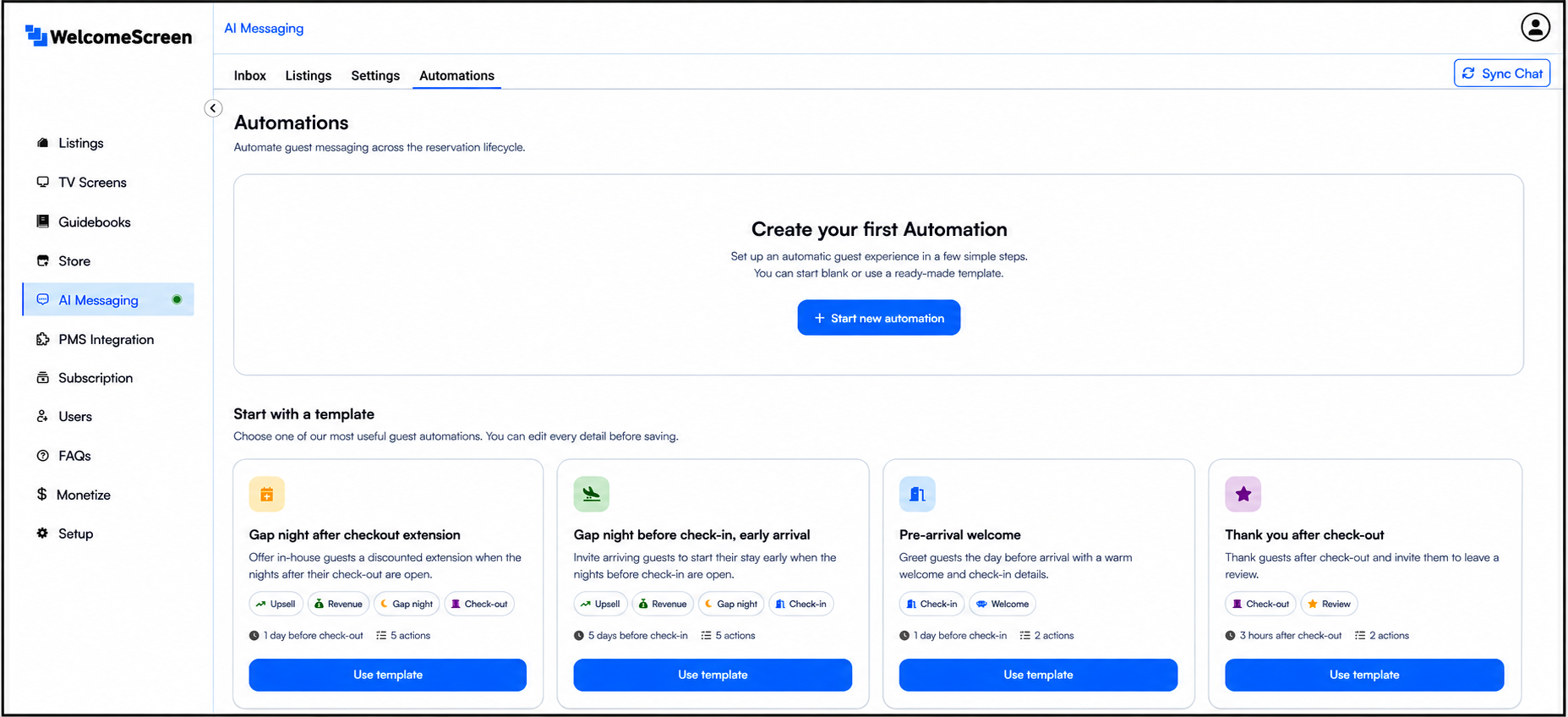
Let’s explore how each automation template can help you save time and simplify guest communication.
This template helps you make the most of available nights after a guest’s scheduled check-out. If your property is available, you can offer your guest the option to extend their stay. Simply customize the message, and the automation will notify them about the available night—helping you turn open dates into additional booking opportunities.
This template helps you make the most of available dates before a guest’s scheduled check-in.If your property is available before a guest’s scheduled check-in, you can use this automation to offer early check-in or an additional night. Simply customize the message, and the automation will notify your upcoming guests about the available option—helping you communicate proactively and make better use of open dates.
This template helps you welcome guests before they arrive at your property. Simply customize the message with your welcome note, arrival details, or other important information, and the automation will take care of the rest—helping you provide a smooth pre-arrival experience while reducing repetitive guest communication.
This template helps you stay connected with guests even after their stay ends. Simply customize the message to thank them for their visit and encourage them to share feedback or leave a review. The automation takes care of the follow-up, helping you maintain consistent post-stay guest communication without sending each message manually.
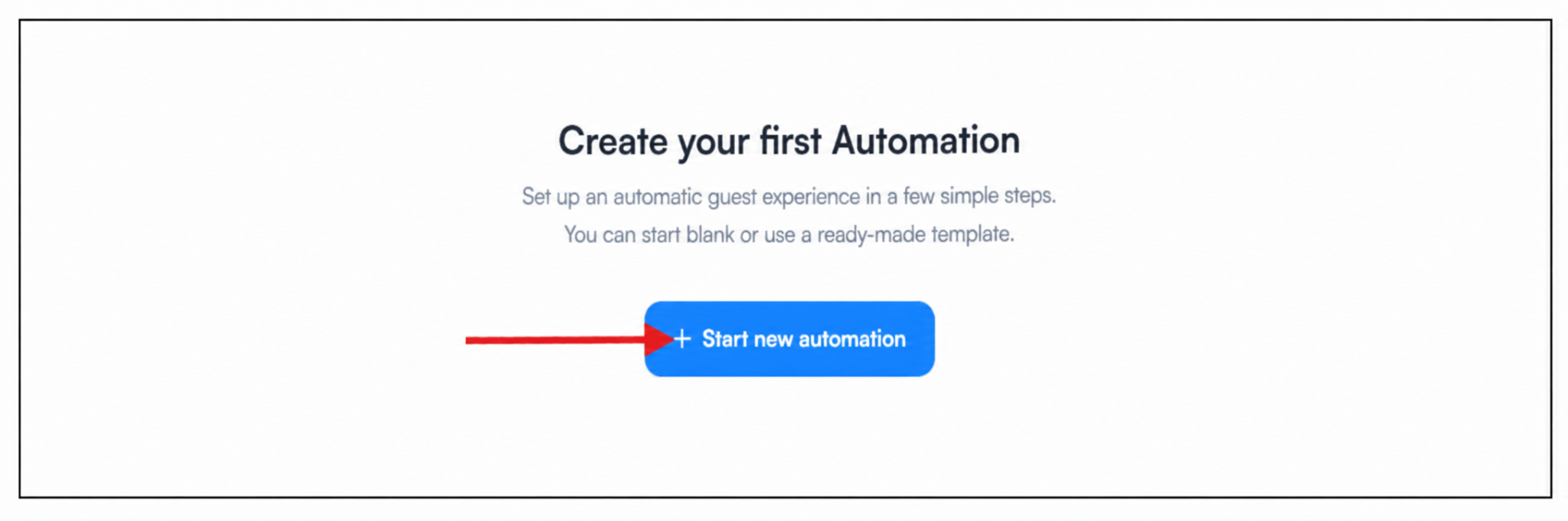
You can use one of the default automation templates to get started quickly, or create your own workflow by clicking + Start New Automation.
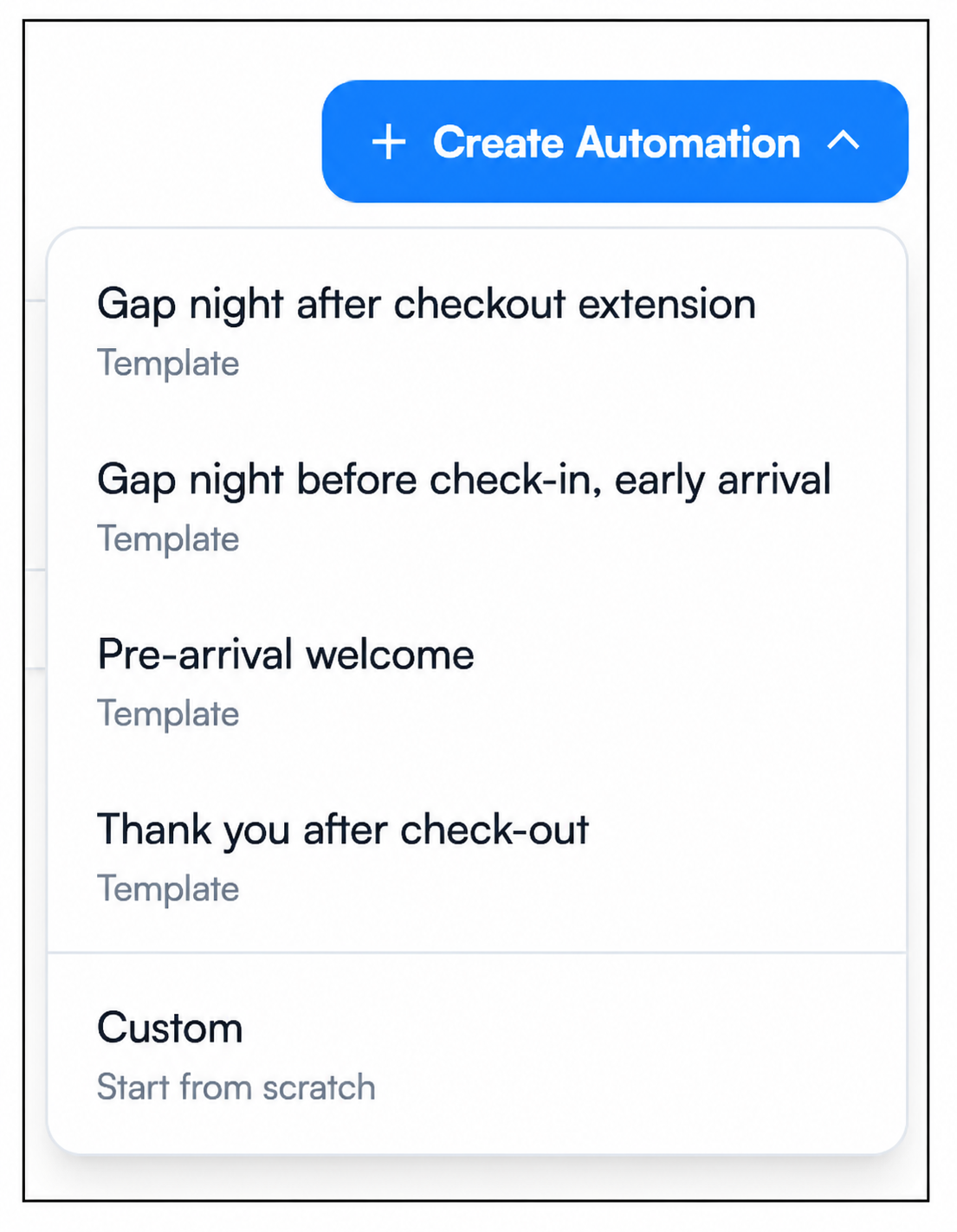
If you’ve already created an automation and want to add another, click the + Create Automation button in the top-right corner. From there, you can choose from the available default automation templates or select Custom to create an automation from scratch.

Setting up WelcomeScreen Automation involves five simple steps. Explore each stage in detail:
Follow each step to create and manage automated guest communication with WelcomeScreen
For additional assistance or questions, contact the WelcomeScreen support team at: support@welcomscreen.com


.png)