Best TV for Your Airbnb: How to Choose the Right Smart TV for Better Guest Experiences

Choosing the Best TV for Your Airbnb: A Complete Host's Guide

A great TV can make a meaningful difference in your guests' overall experience. While a comfortable bed and a clean space are essential, today's travelers also expect seamless entertainment and easy access to information during their stay.

Choosing the best TV for your Airbnb involves more than selecting the biggest screen or the highest resolution. The ideal Smart TV should be easy for guests to use, support popular streaming services, deliver reliable performance, and provide features that enhance convenience for every booking.

This guide will help you choose the best TV for your Airbnb, understand the Smart TV features that matter most, compare the most popular TV platforms for short-term rentals, and explore how WelcomeScreen can enhance the in-room experience with personalized welcome messages, property information, local recommendations, and other helpful resources.

Key Considerations for Choosing the Best TV for an Airbnb

Looking for the best TV for an Airbnb or vacation rental? The right TV should be easy for guests to use, reliable for hosts, and compatible with modern streaming and hospitality technology.

  • Easy to Use: Choose a TV with a simple interface and intuitive remote so guests can quickly access entertainment without assistance.
  • Smart TV & Streaming: A good Airbnb smart TV should support popular streaming services such as Netflix, YouTube, Prime Video, and Disney+. Google TV, Roku TV, and Fire TV are popular options.
  • 4K Resolution & the Right Size: 4K Ultra HD is a good standard for a new rental TV. Consider around 43–50 inches for bedrooms and 50–65 inches for living rooms, depending on viewing distance and room size.
  • Guest Privacy: Look for easy sign-in and sign-out options so guests can safely use their personal streaming accounts. Guest or hotel-style features can make account management easier between stays.
  • Connectivity: Reliable Wi-Fi, multiple HDMI ports, Bluetooth, and USB connectivity allow guests to connect streaming devices, laptops, gaming consoles, and other accessories.
  • App Compatibility: If you use an Airbnb welcome screen, digital guidebook, or hospitality TV app, check that the TV or compatible streaming device supports the required apps and features before buying.
  • Reliability & Value: Choose a reputable brand with dependable software support and warranty coverage. For a vacation rental, long-term reliability and easy maintenance can be more important than having the latest features.
  • Sound Quality: Good built-in speakers are usually enough for bedrooms and smaller spaces. A soundbar can improve audio in larger rooms but adds another device for guests to manage.
  • Mounting Options: Wall mounting can save space and give your rental a cleaner look, while a TV stand provides easier installation and flexibility.

What Makes a Good Airbnb TV?

The best TV for a vacation rental should provide a simple guest experience while being easy for the host to manage. Prioritize 4K picture quality, smart streaming features, guest privacy, reliable connectivity, and compatibility with your property's hospitality technology.

Host's Choice: Top TV Recommendations for Your Airbnb

Here are some of the top TV options for Airbnb and vacation rentals, selected for easy guest use, smart features, reliability, and viewing quality.

1. Top Pick: Sony Bravia 4K Smart TV

  • Streaming & Smart Features
    Sony BRAVIA 4K Smart TVs combine excellent picture quality with a user-friendly Google TV experience, giving guests easy access to supported streaming apps and entertainment. Supported models may also offer Chromecast and voice-control features for convenient casting and navigation.

  • Easy Account Management: Use a dedicated account and remove guest accounts between stays to help protect guest privacy. With 4K picture quality, smart features, and a simple interface, Sony BRAVIA is a strong choice for hosts looking for a premium smart TV for Airbnb.

2. Runner-Up: Roku Class Select 4K TV

  • Streaming & Smart Features
    The Roku Class Select 4K TV is a strong option for hosts who prioritize simplicity and guest privacy. Roku's easy-to-navigate interface makes it simple for guests to access their favorite streaming services, while Guest Mode helps guests sign in with their own accounts without leaving their information behind.z

  • Easy Account Management:
    Enable Guest Mode to make account management easier between stays and provide a more secure, guest-friendly Airbnb TV experience.

3. Solid Contender: Amazon Fire TV 4K (e.g., Omni Series)

  • Streaming & Smart Features:
    Amazon Fire TV 4K, including the Omni Series, combines sharp 4K picture quality with the Fire TV platform and Alexa voice control. Guests can easily browse entertainment and access popular streaming services, making it a practical smart TV for Airbnb and vacation rentals.

  • Easy Account Management:
    Provide clear, simple instructions for guests to sign out of their streaming accounts before checkout.

Add-On: Best Streaming Devices for an Airbnb

If your existing TV is older or lacks the smart features you need, a streaming device for Airbnb can provide a modern entertainment experience without replacing the TV.

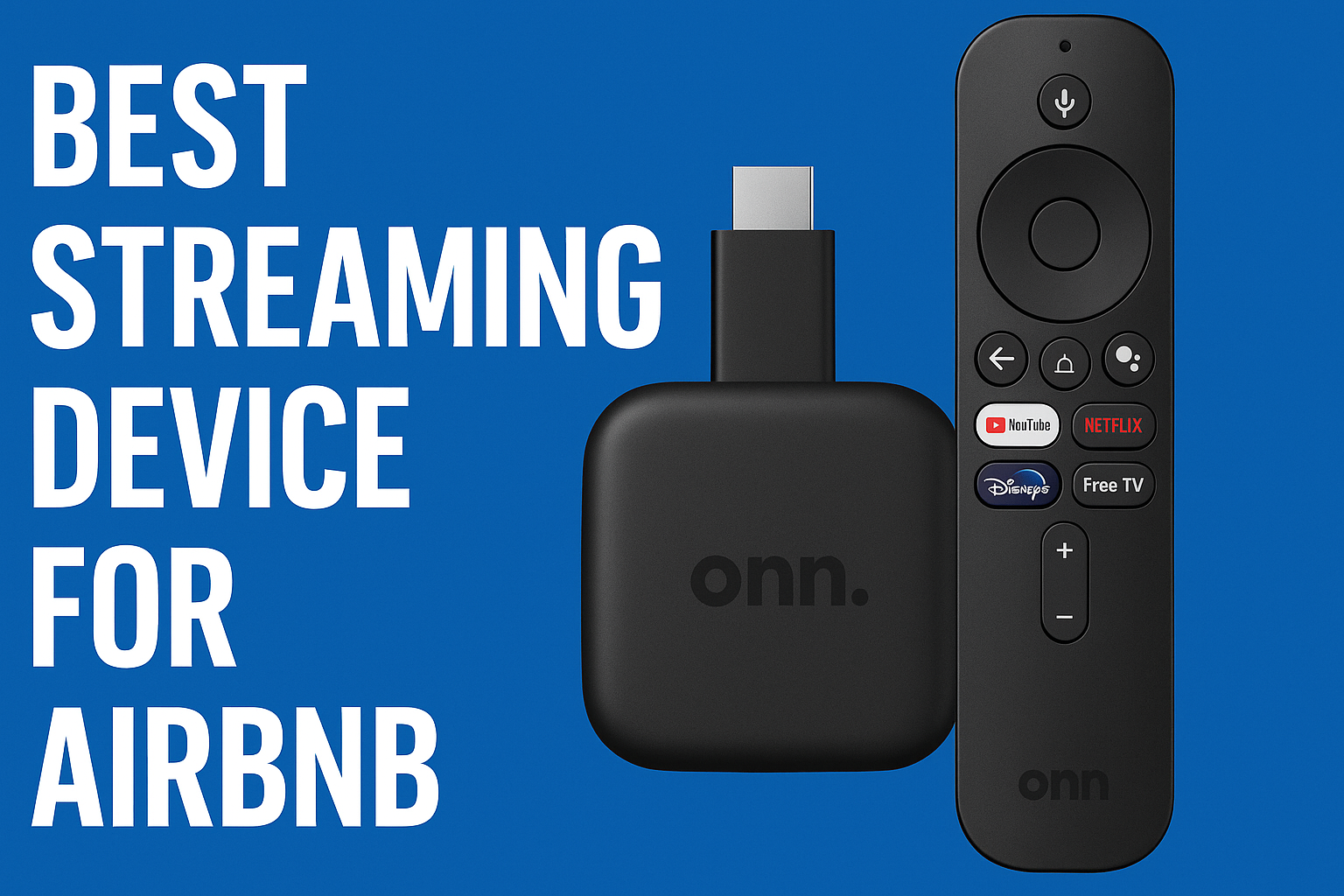
1. Top Pick: onn. 4K Pro Streaming Device with Google TV

Affordable Google TV Upgrade:
The onn. 4K Pro is an affordable way to add Google TV and 4K HDR streaming to a compatible television. It also supports Google Assistant and includes built-in Ethernet connectivity, making it a practical option for vacation rental properties.

Airbnb Setup Advantage:
A dedicated streaming device can help create a more consistent Airbnb TV setup across multiple properties, especially when existing TVs use different operating systems or have limited app support.

Ideal for:
Hosts looking for an affordable 4K streaming device for Airbnb that can upgrade an existing TV and provide a familiar Google TV experience.

2. Runner-Up: Roku Streaming Stick 4K

Simple & Guest-Friendly:
The Roku Streaming Stick 4K is a compact streaming device for Airbnb that delivers 4K HDR streaming through Roku's easy-to-navigate interface. Its voice remote makes searching for movies and shows simple, while Guest Mode is particularly useful for vacation rentals.

Airbnb Hosting Advantage:
Roku Guest Mode allows guests to sign in with their own streaming accounts and helps clear their account information when their stay ends, making it easier to manage guest privacy between bookings.

Ideal for: Hosts looking for a simple 4K streaming device for Airbnb with easy navigation and convenient guest account management.

3. Solid Contender: Amazon Fire TV Stick 4K / 4K Max

Affordable Streaming Upgrade:
The Amazon Fire TV Stick 4K and 4K Max are compact, budget-friendly streaming devices for Airbnb that support 4K streaming, HDR, Alexa voice control, and a wide selection of supported streaming apps.

A Practical Airbnb Setup:
Their small size and simple HDMI connection make them easy to add to an existing TV, making them a convenient option for hosts who want to upgrade an older television without replacing it.

Ideal for: Hosts looking for an affordable 4K streaming device for Airbnb with smart features, voice control, and broad app support.


Still Deciding Which TV Is Right for Your Airbnb?

Not sure which option is best for your property? Watch our video guide for a closer look at the best TVs and streaming devices for Airbnb and vacation rentals.

Watch: Best TV For Airbnb (The Ultimate Guide)

Monetize Your Airbnb TV: Turning Your Screen Into Income with WelcomeScreen & Local Ads

Your Airbnb TV can be more than just a source of entertainment. With a digital welcome screen, it can also become a useful guest information hub and a way to create additional revenue opportunities. This is where Airbnb TV monetization comes in.

How Does Airbnb TV Monetization Work?

With WelcomeScreen, you can customize what guests see when they turn on the TV. Along with personalized property information, you can use the screen to showcase local businesses, experiences, and services that may be useful to your guests.

You can use your Airbnb TV to:

  • Display Personalized Welcome Messages: Greet guests by name and make their arrival more welcoming.
  • Share Property Information: Provide Wi-Fi details, house rules, check-in and check-out instructions, and helpful information about the property.
  • Promote Local Businesses: Feature nearby restaurants, cafés, tours, attractions, and other businesses that guests may want to explore.
  • Offer Upsells: Promote your own services, such as late check-out, cleaning, or other available add-ons.

Benefits for Airbnb Hosts

Using your TV as a digital welcome screen and promotional channel can help you:

  • Generate Additional Revenue: Create opportunities to earn from relevant local advertising and promotions.
  • Improve the Guest Experience: Give guests useful recommendations and information throughout their stay.
  • Reduce Repetitive Questions: Put frequently requested information where guests can easily find it.
  • Increase Professionalism: A personalized and informative TV experience can make your vacation rental feel more polished.
  • Promote Your Own Services: Use the screen to highlight additional services and experiences available at your property.

Monetize Your Airbnb TV with WelcomeScreen

Turn your Airbnb TV into more than an entertainment screen with WelcomeScreen. Create a personalized digital welcome screen to share property information, local recommendations, services, and relevant promotions while creating additional revenue opportunities.

What Is WelcomeScreen?

WelcomeScreen is a digital welcome screen for Airbnb and vacation rentals that turns your TV into a personalized guest information hub. Hosts can display property details, Wi-Fi information, local recommendations, services, and promotional content directly on the Airbnb TV.

How WelcomeScreen Helps Airbnb Hosts

  • Welcome Guests: Display personalized welcome messages and important stay information.
  • Share Property Details: Provide Wi-Fi, house rules, check-in, and check-out information.
  • Recommend Local Experiences: Showcase nearby restaurants, attractions, activities, and experiences.
  • Promote Services: Highlight property services and available upsells.
  • Monetize Your TV: Create opportunities to promote relevant local businesses and generate additional revenue.
  • Build Your Brand: Provide a professional and personalized guest experience.

Getting Started

Set up WelcomeScreen, add your property information and recommendations, and connect it to a compatible TV or streaming device. Guests can then access important information directly from the TV.

Make Your Airbnb TV More Useful

A well-planned Airbnb TV setup can be more than entertainment. With WelcomeScreen, your TV can become a digital welcome screen, guest information hub, local guide, and potential revenue channel.

If you encounter any issues or have questions, feel free to reach out at support@welcomescreen.com.

Related Blogs

It is a long established fact that a reader will be distracted by the readable content of a page when looking at its layout. The point of using Lorem Ipsum is that it has a more-or-less normal distribution of letters